CloneAI AI Video Generator
- 2.8
- Rating
- 1.00M
- Installs
- Free
- Price

 Analysis by App-foxy
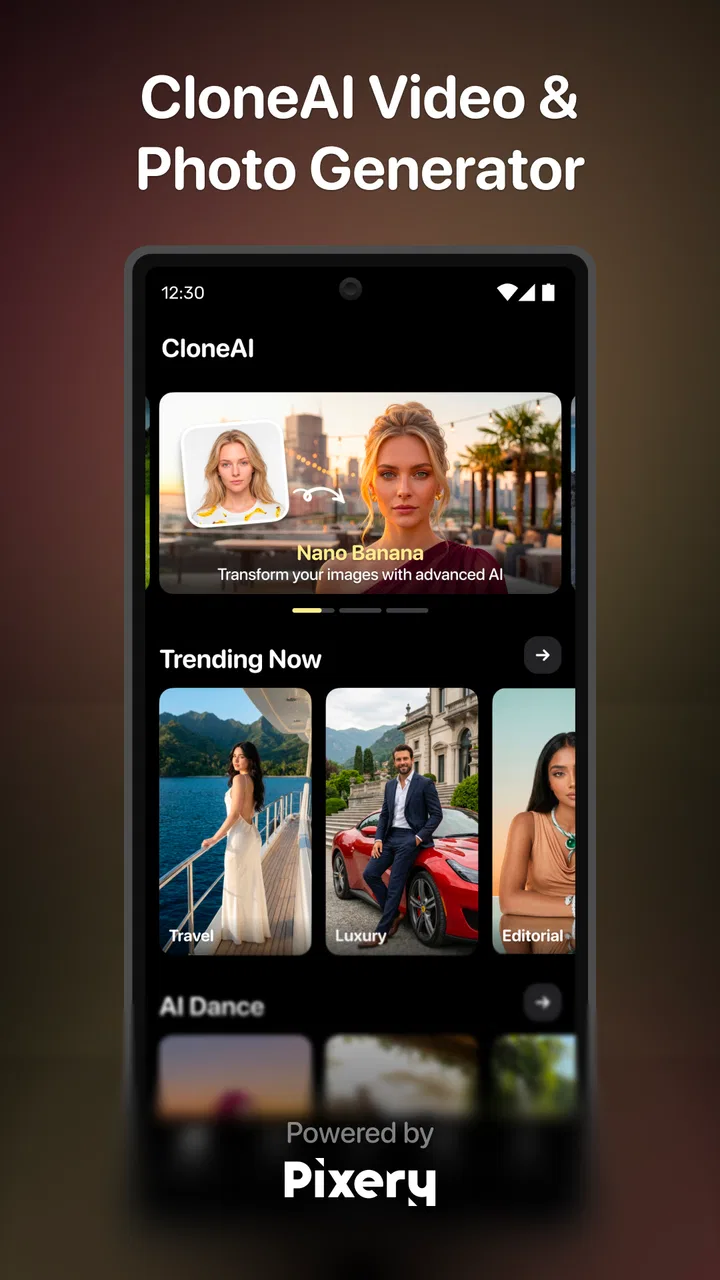
I opened CloneAI expecting a quick way to turn ordinary photos and short clips into more imaginative social content, and that is still the clearest way to understand it. This is a free photography app from Pixery Bilgi Teknolojileri, built around AI-driven visual transformations rather than traditional manual editing. Its appeal is immediate: choose an image, select a playful direction, and see how far the app can push the original.
The app is listed for Everyone and runs on Android 8.0 or later. It has passed the one-million-install mark, so it is not an obscure experiment, although the average score of 2.8 from roughly fourteen thousand ratings suggests that the experience is uneven for a noticeable part of its audience. I think that balance matters. CloneAI can be entertaining and surprisingly useful for a specific creative task, but I would not treat it as a dependable replacement for a complete photo editor or a serious video-production tool.
From an ordinary photo to a shareable AI result
I find the most useful way to approach this section is to treat each generated image as a draft, not a finished promise. Starting with a clear portrait and deciding where you plan to share the result can save needless retries; the next step is choosing a source that gives the effect room to work.
You May Also Like

 Blood Strike: 2.5 Anniversary
Blood Strike’s Loadouts Turn Every Drop Into a Tactical Gamble
A close look at Blood Strike’s custom loadouts: how fast access to signature weapons reshapes its battle royale rhythm, rewards preparation, and narrows the gap between fights.

 Pandora - Music & Podcasts
Pandora’s Music Is Easy to Start, but Harder to Recover
Pandora’s strength is its low-effort path from a seed to a station. Its weak spot is how much confidence it asks you to place in connection, setup, and quiet recovery.

 8 Ball Pool
 Is Built on Rivalries, Rematches, and Routine
A close look at the rivalries, rematches, shared routines, and unanswered safety questions that turn a quick pool match into a persistent mobile community.

 Samsung Music
’s Quiet Strength Is Playing What You Already Own
Its reach comes less from spectacle than from dependable access to a personal library. That simplicity is both the app’s strongest retention engine and its ceiling.

 AccuWeather: Weather Radar
AccuWeather Review: A Quick, Clear Forecast for Everyday Decisions
For everyday plans, the best forecast is the one you can understand quickly. AccuWeather makes rain timing, radar, and local conditions easy to act on, with a few trade-offs.

 Hill Climb Racing
Why Hill Climb Racing Still Turns Crashes Into One More Run
A tiny car, a bumpy hill and one more upgrade: Hill Climb Racing keeps resurfacing because its simple chaos makes every near-miss feel personal.
More From Our News Desk



The starting point: choosing the right source
The quality of the final result begins before the app does anything. I had the best chance of getting a convincing transformation when the subject was clearly visible, the lighting was reasonably even, and the face was not hidden by sunglasses, heavy shadows, or another person standing too close. That is not a glamorous tip, but it makes a bigger difference than repeatedly changing styles after uploading a weak source.
For a casual user, the natural starting condition is a photo already sitting in the phone gallery. You might have a portrait from a birthday, a selfie that needs a more playful treatment, or a picture of two people that you want to turn into a humorous post. CloneAI’s focus is not on correcting every small photographic flaw. It is on reinterpreting the image through AI styles and effects, so the original picture should provide a clean subject rather than a complicated scene.
The app’s store summary points toward several distinct creative directions: an anime maker, AI styles and effects, affectionate scenes such as hugs and kisses, a future-baby concept, and other trend-oriented transformations. I would approach these as separate experiments, not as a single editing workflow. A portrait that works nicely with an anime treatment may produce an awkward result in a scene involving two people, because the app has to understand more relationships in the frame.
One useful habit is to prepare two or three versions of the same source before beginning. A close portrait may be better for a face-focused effect, while a wider image can work better when the result needs to show body position or interaction. This small handoff between your gallery and the app saves time because you are testing the input instead of blaming the style for every odd result.
Moving through the creative choices
Once the image is selected, the central decision is how much of the original person or scene you want to preserve. An anime-style result can be enjoyable precisely because it changes recognizable details while keeping the general identity. A trend effect may be more dramatic and less faithful. I found that the most satisfying outcomes came when I treated the generated image as a new interpretation, not as a promise of photographic accuracy.
This distinction also answers an important question: is CloneAI suitable for professional retouching? In my view, no. If you need precise skin corrections, controlled color grading, object removal, layers, masks, or exact typography, a conventional editor is the better choice. CloneAI is aimed at fast visual ideas. Its strength is the jump from “I have a normal picture” to “I have something I might send to friends,” not detailed control over every pixel.
The affectionate options need a little common sense. A hug or kiss concept depends heavily on the position of the people in the source image. Two faces turned in opposite directions, subjects at very different distances, or a partially blocked body can make the generated interaction feel artificial. I would use a simple, well-framed photo and keep expectations playful. These effects are best treated as novelty content rather than a reliable way to create a believable memory.
The future-baby concept has a similar trade-off. It can be amusing for couples or friends who want a lighthearted result, but it should not be read as a prediction or a meaningful visual assessment. AI is filling in an imaginative outcome from the supplied faces, and the entertainment comes from that invention. Anyone expecting a medically, genetically, or scientifically grounded result should skip this particular use entirely.
The waiting stage and the first review of the output
AI generation changes the rhythm of editing. With a normal filter, I can see the effect almost instantly and adjust it gradually. With CloneAI, I make a choice, wait for the transformation, and then decide whether the source, style, or concept deserves another attempt. That makes the process feel more like sending a small creative job away and receiving a draft back.
My advice is to judge the result in three passes. First, check the overall composition: does the subject remain recognizable and does the image still have a clear focal point? Second, inspect the face and hands, where AI transformations often reveal their weakest details. Third, decide whether the result is actually more interesting than the original. A technically elaborate image is not automatically a successful one.
This three-pass check is one of the more important practical differences between CloneAI and a basic filter app. A filter usually preserves the structure of the picture, so the main question is whether you like the color or mood. Here, the structure itself may change. If the result feels strange, trying a cleaner source image is often more productive than choosing increasingly dramatic effects.
Handoffs: gallery, app, and social sharing
The real workflow does not end when the AI result appears. The first handoff is from your phone’s gallery into the app. The second is from the generated result back into your personal collection. The final handoff is usually to a messaging app or social network, where the image is judged by people who did not see the original prompt or source.
That last step changes how I select results. An effect that looks fascinating while I am zoomed in may be confusing when viewed quickly in a chat. I prefer outputs with a strong silhouette, a readable face, and a clear joke or visual idea. If I have to explain what the image is supposed to show, it probably is not ready to share.
For a realistic everyday scenario, imagine receiving a friend’s birthday photo in the afternoon and wanting to send back something more personal than a standard greeting. I would choose a well-lit portrait, try an anime-oriented transformation, inspect the face and background, and send the cleanest result as a playful response. The app fits that moment because it turns a familiar image into a small surprise without requiring me to learn a complex editing timeline.
It is less suitable when the handoff has professional consequences. If you are preparing a product image, a family archive, a business announcement, or a video that must remain consistent from frame to frame, the unpredictability becomes a disadvantage. In those cases, I would choose a conventional editor or a specialized video application with more direct control.
What the result is good at
CloneAI’s best results are social and experimental. It gives a portrait a new visual identity, turns a familiar moment into a joke, or lets you explore a trend without manually building the effect. The anime direction is especially easy to understand: the original image supplies the subject, while the app supplies the visual reinterpretation.
The app can also be useful for brainstorming. I might use a generated image as a rough mood reference before creating a more polished illustration elsewhere. A friend planning a costume, profile picture, or themed invitation could use the output to test an idea quickly. The key is to see the image as a concept draft, not necessarily the final asset.
There is also value in comparing several source images rather than endlessly regenerating one. If one portrait consistently produces clearer features, that tells me the input is doing much of the work. This is a practical, non-obvious advantage of the workflow: the app becomes a quick way to discover which existing photos are most adaptable to an AI style.
Still, the result may not preserve identity perfectly. Facial proportions, hair, clothing, and background details can shift. That is acceptable for a fantasy-style post, but it becomes uncomfortable if the purpose is to represent a real event accurately. Before sharing, I would ask whether the people shown would recognize the image as a playful transformation and whether the context makes that clear.
Where the workflow breaks
The main weakness is the gap between a compelling concept and a consistently polished outcome. A store description can make AI effects sound effortless, but the actual experience depends on the source photo, the chosen effect, and how much visual change the effect attempts. The rating of 2.8, alongside about one point seven thousand written reviews, is a useful warning that not every user finds the process smooth or satisfying.
Another friction point is the app’s commercial model. CloneAI is free to install, while in-app purchases are listed from $7.99 to $49.99 per item. That range makes it important to understand the purchase screen before committing to a particular workflow. I would begin with a low-stakes experiment, check what is available without paying, and avoid building a project around an effect until I know whether the required option fits my budget.
This is also where CloneAI differs from many ordinary photography apps. A standard editor often gives me a predictable set of tools after installation: crop, exposure, contrast, retouching, and export. CloneAI is more dependent on its AI concepts and on the boundaries of its available effects. That makes it more exciting when the idea works, but less dependable when I need a repeatable result.
Users should also think about the emotional side of the output. A generated hug, kiss, or future-baby image can be funny between people who understand the joke, but it can be misleading or uncomfortable if shared without context. I would not use these concepts to impersonate someone, suggest a real relationship, or create an image that another person might reasonably mistake for an authentic event.
For video-minded users, the name and positioning may create expectations of a full AI video editor. I would keep those expectations modest. The confirmed focus is photography and AI transformations, and the practical value I experienced is strongest in quick visual experiments. If your priority is trimming footage, arranging multiple clips, recording narration, adding precise subtitles, or controlling a timeline, a dedicated mobile video editor is a better match.
Who should install it, and who should pass
I would recommend CloneAI to someone who enjoys trying visual trends, wants a quick anime-style portrait, or needs an amusing image for a private conversation. It is also a reasonable choice for casual creators who care more about novelty than perfect consistency. The free entry point makes it easy to explore before deciding whether the available results justify any purchase.
I would be more cautious if you are sensitive to subscription-style prompts, expect every generation to look polished, or need exact control over the person’s appearance. The app is not the right first choice for professional photographers, brand managers, or anyone building a coherent visual identity across many images. A traditional editor will feel slower at the beginning but more trustworthy at the end.
Device compatibility is fairly broad because the app supports Android 8.0 and later, but compatibility alone does not guarantee a comfortable workflow. AI processing can make any phone feel busy, particularly when you are testing several ideas in a row. I would keep the original photos safely stored and review the final files before deleting anything, especially when the generated result is only one of several attempts.
My final take after following the complete workflow
CloneAI works best when I start with a clear purpose: transform one good photo into a playful, stylized result that can be shared quickly. The journey from gallery selection to AI effect, review, and social handoff is simple enough for casual use, and the anime, relationship, and future-oriented concepts give it a more distinctive personality than a basic filter collection.
Its limitations are just as clear. Results can be inconsistent, the most ambitious concepts depend heavily on the source image, and the paid range means I would inspect the cost carefully before making it part of a regular routine. The relatively modest average rating reinforces my own conclusion: this is an app to sample, not an app to trust blindly.
Pixery Bilgi Teknolojileri has made something that can produce a genuinely fun result in a few steps, but the fun comes from experimentation. I would install it for a weekend of creative tests, keep the strongest outputs, and move to a conventional photo or video editor when accuracy, repeatability, or detailed control becomes more important. Choose CloneAI for playful transformation, not precision editing.
FAQs for CloneAI AI Video Generator
01What is CloneAI AI Video Generator and what can it do?
CloneAI AI Video Generator is a mobile content-creation app designed to transform photos, videos, and written ideas into stylized AI-generated clips. Depending on the available tools and your device, you can apply visual effects, create animated portraits, experiment with trend-based templates, and produce short videos suitable for social media. Results can vary significantly based on the quality of the source material and the selected effect.
02Is CloneAI AI Video Generator free to download and use?
The app may be available to download at no initial cost, but some of its features can be limited by credits, subscriptions, advertisements, or in-app purchases. Premium effects, higher-quality exports, faster processing, or access to the newest templates may require payment. Before starting a generation, check the current pricing, trial conditions, renewal terms, and whether unused credits expire, as these details can change.
03What kind of photos or videos produce the best results?
For more convincing results, use clear, well-lit photos or videos with the subject facing the camera and minimal obstruction around the face. Images with heavy shadows, sunglasses, extreme angles, motion blur, crowded backgrounds, or multiple people may produce distorted results. Shorter clips are often easier to process, while a stable internet connection and an updated device can help reduce failed generations or unusually long processing times.
04Does CloneAI AI Video Generator protect uploaded photos and personal data?
Before uploading personal images, review the app’s privacy policy and the permissions requested on your Android or iOS device. AI generation commonly requires files to be sent to remote servers for processing, so users should understand how long content may be stored, whether it is used to improve services, and when it is deleted. Avoid uploading sensitive photos, identification documents, or images of other people without their permission.
05Can videos created with CloneAI be saved and shared on social media?
Generated videos can generally be saved or shared through the device’s standard sharing options, although export resolution, duration, watermarks, and available formats may depend on the effect or subscription plan. Some creations may include branding unless you upgrade or use a qualifying export option. Always check the final video before publishing, particularly for visual glitches, unexpected changes to faces, copyrighted music, or content that could misrepresent another person.
Pros
- Creates stylized AI videos from photos with minimal editing.
- Offers multiple visual effects and transformation templates.
- Simple interface suitable for users without video-editing experience.
- Can produce engaging content for social media posts and stories.
- Saves time compared with creating complex effects manually.
Cons
- Results can vary noticeably depending on photo quality and lighting.
- Some templates and features may require a paid subscription.
- AI processing can take time
- especially for longer or complex videos.
- Generated videos may include artifacts or unnatural facial details.
- Privacy concerns may arise when uploading personal photos to the service.

CloneAI AI Video Generator
Gallery